On this page
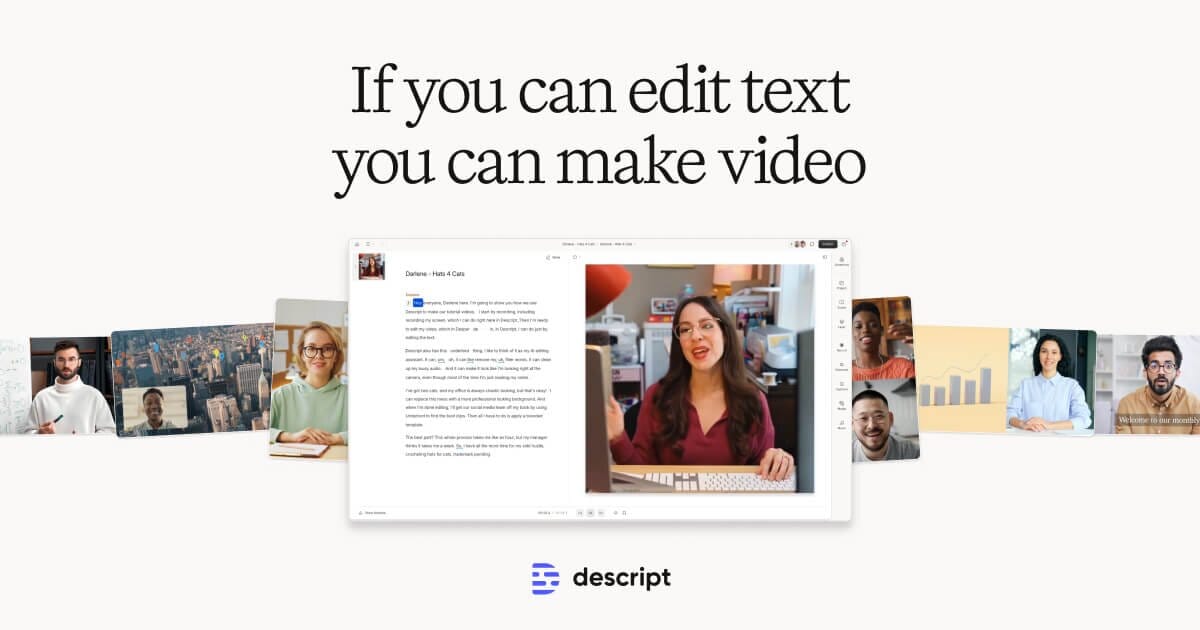
Descript flips audio and video editing on its head: it transcribes your recording, and you edit the media by editing the transcript like a Word document. Delete a sentence and the corresponding audio and video are cut too. For dialogue-driven content — podcasts, interviews, talking-head videos — it is far faster than dragging clips on a traditional timeline.
The AI features are the draw. Automatic filler-word removal strips out “um” and “uh” in one click, Studio Sound cleans up echoey or noisy recordings, and Overdub clones your voice so you can fix a flubbed word by simply typing the correction. Descript also has built-in screen recording, AI show-note generation, and multitrack editing. It competes with Adobe Premiere and Audition on video, Riverside and Cleanfeed on remote recording, and Otter on transcription — but no single competitor bundles text-based editing with voice cloning the way Descript does.
Key Features
- Transcript-based editing for audio and video
- Automatic filler-word and awkward-pause removal
- Overdub AI voice cloning to fix or add words
- Studio Sound for one-click audio cleanup
- Built-in screen recorder and remote recording
- AI-generated show notes, summaries, and clips
- Multitrack timeline and Descript’s own AI eye-contact and green-screen tools
Pricing
- Free: a limited number of transcription hours per month, watermarked exports
- Hobbyist (~$16/month): more hours, Overdub, no watermark
- Creator (~$24/month): higher transcription limits, 4K export
- Business/Enterprise: team features, SSO, unlimited seats
Transcription and Overdub hours are metered per tier, so high-volume producers should watch usage.
Best For
Podcasters, YouTubers, course creators, and marketers producing dialogue-heavy content who want to edit and polish recordings without mastering a traditional NLE.
Limitations
For narrative video with heavy effects, color grading, or precise frame-level work, Premiere Pro or Final Cut remain stronger. Descript can also get sluggish on large projects, and the metered transcription/Overdub hours mean the cheaper tiers run dry for prolific creators.