On this page
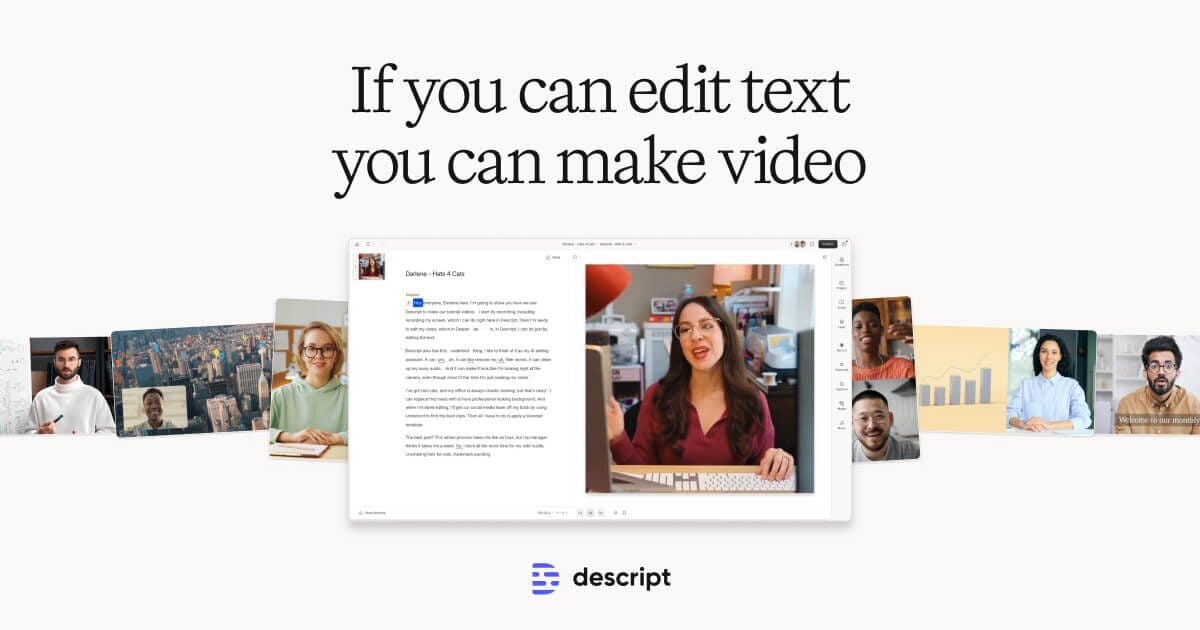
Descript is a video and audio editor built around a simple idea: edit your recording by editing its transcript. When you record or import footage, Descript transcribes it, and deleting a sentence of text deletes the matching footage. Removing an “um” removes the “um” from the video. For interviews, podcasts, and talking-head content, editing by text is much faster than dragging clips on a traditional timeline like Premiere Pro or Final Cut.
Descript was founded by Andrew Mason (of Groupon) and grew out of an audio transcription tool. It now bundles screen and camera recording, multitrack audio editing, transcription, and publishing into one app, competing with Adobe Premiere on the video side and Adobe Audition or Riverside on the podcast side.
Key Features
- Text-based editing — cut, rearrange, and trim by editing the transcript
- Automatic filler-word removal (um, uh, and long silences)
- Overdub voice cloning to fix mistakes by typing corrected text
- Studio Sound to clean up noisy or echoey audio
- Auto-generated captions, subtitles, and social clips
- Screen recording with webcam overlay for tutorials and demos
- Multitrack timeline for layering audio, video, and music
Pricing
- Free: Limited transcription hours per month, watermark on exports
- Hobbyist (around $16-24/month): More transcription hours, no watermark
- Creator (around $30-40/month): Higher limits and full AI feature access
- Business/Enterprise: Team seats, SSO, and admin controls
Best For
Podcasters, YouTubers, course creators, and marketing teams producing interview or talking-head content who want to edit as quickly as they edit a document, plus anyone who needs fast transcription and captions.
Limitations
Descript shines for spoken-word content but is a poor fit for cinematic, effects-heavy, or frame-accurate editing where Premiere Pro or DaVinci Resolve are stronger. Overdub and other AI tools sit behind paid plans, and large projects can feel sluggish. Transcript accuracy also drops with heavy accents or background noise, which means more manual cleanup.